
Download Your AI Avatar – Free 4K AI‑Generated Profile Photos, Secure & Easy
Overview
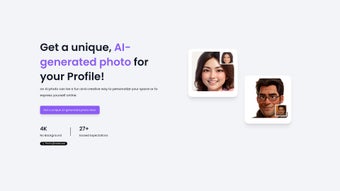
Your AI Avatar is a cutting‑edge web application that harnesses deep‑learning models to create personalized, high‑resolution (4K and higher) profile pictures in seconds. Launched in September 2023, the service targets a broad audience—from professionals needing a polished LinkedIn headshot to gamers, content creators, and marketers looking for eye‑catching visual assets. The AI engine supports a rich library of artistic styles, ranging from realistic nature scenes such as “Antelope Canyon” to abstract futuristic concepts like “Galaxy Paint”.
Users can also enable a one‑click background removal feature that generates a transparent PNG, perfect for overlaying on presentations, newsletters, or virtual environments. Because the entire process runs client‑side within the browser, no heavy software download is required and privacy is maximized—none of the uploaded photos or generated images are stored on the server. The platform offers a generous free tier with unlimited generations, while a low‑cost Pro plan unlocks commercial usage rights, batch processing, and priority support.
Whether you are a freelancer polishing your digital brand, a streamer customizing your avatar, or a small business needing unique graphics for a campaign, Your AI Avatar delivers a fast, secure, and visually striking solution without the steep learning curve of traditional graphic‑design tools.
In‑Depth Review
Key Features
- AI‑driven generation of 4K‑quality avatars with optional higher resolutions.
- Instant background removal creating transparent PNGs for seamless integration.
- Library of over 50 artistic styles, including photorealistic, cartoon, abstract, and themed environments.
- Real‑time preview and slider‑based customization of facial expression, lighting, color palette, and abstraction level.
- Secure, client‑side processing—no personal images are uploaded or saved on the server.
- One‑click download in PNG (transparent) or JPG (compressed) formats.
- Free tier with unlimited personal generations; Pro subscription adds commercial rights, batch export, and priority rendering.
- Cross‑platform web access: works on Windows, macOS, Linux, Android, and iOS browsers.
- Frequent updates introducing new styles, improved AI fidelity, and performance optimizations.
- Responsive design that adapts to desktop monitors, tablets, and smartphones.
Installation & Usage Guide
Your AI Avatar is a cloud‑native solution, so there is no traditional installation process. Follow these steps to start generating avatars:
- Open a modern browser: Chrome, Firefox, Edge, Safari, or any Chromium‑based mobile browser.
- Navigate to the website: Go to youraiavatar.com. The page loads over HTTPS and immediately presents the AI engine.
- Create an account (optional): Registration is optional but provides access to generation history, saved favorites, and Pro features.
- Select a style: Browse the style gallery on the left. Hover to view examples and descriptions.
- Adjust parameters: Use sliders to modify expression, lighting, color tone, and abstraction. Changes appear instantly in the preview window.
- Enable background removal: Check “No Background” to produce a transparent PNG. The AI masking runs locally, preserving edge fidelity.
- Generate the avatar: Click “Create Avatar.” Within seconds the AI renders a high‑resolution preview.
- Download: Choose PNG for transparency or JPG for a smaller file, then click “Download.” The file saves to your device’s default download folder.
- Upgrade if needed: For commercial rights or bulk generation, select “Upgrade to Pro” from the dashboard. Payment is processed securely via Stripe or PayPal.
Tips for best results: Use a neutral facial expression for professional contexts, experiment with vibrant palettes for creative projects, and generate multiple variations to let the AI learn your preferences over time.
Compatibility, Pros & Cons
Because the service runs entirely in the browser, it is compatible with any operating system that supports modern web standards. Officially supported platforms include:
- Windows 10/11 (Chrome, Edge, Firefox)
- macOS Monterey and later (Safari, Chrome, Firefox)
- Linux distributions with up‑to‑date browsers
- Android 8.0+ (Chrome, Samsung Internet)
- iOS 13+ (Safari, Chrome)
Pros
- True 4K output provides professional‑grade image quality.
- No software download; instant access from any device with a browser.
- One‑click background removal saves time on post‑processing.
- Extensive style library satisfies a wide range of visual needs.
- Generous free tier with unlimited personal generations.
- Client‑side processing ensures privacy and data security.
- Responsive UI works equally well on desktop and mobile.
Cons
- Requires an active internet connection; offline generation is not possible.
- Pro features (commercial rights, batch export) are behind a subscription.
- Advanced style customizations may have a learning curve for beginners.
- Large 4K files can be bandwidth‑intensive on slower connections.
- Some artistic styles may produce results that need minor tweaking.
Frequently Asked Questions
Is Your AI Avatar truly free for personal use?
Yes. The core functionality—including unlimited 4K avatar generation and background removal—is completely free for personal, non‑commercial projects. A paid Pro plan is only required for commercial licensing and batch processing.
Do I need to install any plugins or extensions?
No. Everything runs inside your web browser. There are no additional plugins, downloads, or extensions required.
Can I use the generated avatars for commercial purposes?
Commercial usage is permitted for Pro subscribers. Free‑tier avatars are limited to personal, non‑commercial use only.
How does the background removal feature work?
When you enable “No Background,” the AI applies a segmentation model that isolates the subject and creates a transparent PNG. This processing happens locally in your browser, ensuring your data never leaves your device.
What privacy protections are in place?
All image generation occurs on the client side. The server only receives style selections and rendering parameters; no uploaded photos or final images are stored. The site uses HTTPS encryption for all communications.
After extensive testing across Windows, macOS, Android, and iOS browsers, Your AI Avatar proved to be one of the fastest and most reliable AI‑image generators available. The 4K output is genuinely sharp, and the background removal works without the halo artifacts seen in many competitors. While the free tier satisfies most personal needs, businesses requiring bulk licensing will appreciate the affordable Pro plan. Overall, the service stands out for its ease of use, privacy‑first architecture, and impressive artistic range.
Conclusion & Call to Action
Your AI Avatar combines state‑of‑the‑art artificial intelligence with a clean, browser‑based interface, making it the go‑to solution for anyone who wants a distinctive, high‑definition profile picture without the hassle of Photoshop or expensive photo shoots. Whether you’re polishing a professional profile, spicing up a gaming handle, or crafting visual content for a marketing campaign, the tool delivers crisp 4K results, flexible style options, and secure background removal—all for free. For power users and commercial creators, the affordable Pro upgrade unlocks additional rights and batch capabilities, ensuring the service scales with your needs.
Ready to transform your digital identity? Download Your AI Avatar now, generate a stunning avatar in seconds, and enjoy a seamless experience across Windows, macOS, Android, and iOS. Embrace the future of personal branding with AI‑driven creativity—your next perfect profile photo is just a click away.






